
Contributor License Agreement#
We require developers to sign a Contributor License Agreement (CLA), to ensure that we have the right to publish the code you are adding. The CLA is available at esmvaltool-cla.md. We use CLA assistant, integrated into GitHub, to manage the ESMValTool CLA. You will need to agree to the CLA before your contribution can be merged into the main branch. You only need to do this once: CLA assistant will remember your agreement for future pull requests in ESMValGroup repositories.
How to agree to the CLA#
The first time you open a pull request, a comment should appear indicating that you need to sign the CLA. It can take a few minutes for this comment to appear. Your contribution cannot be merged to the main branch until all commiters on the pull request have signed the CLA.
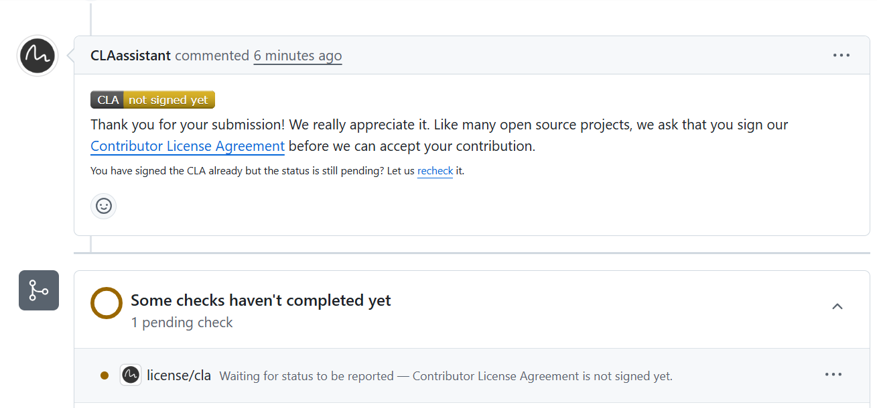
Click on the button labelled “CLA not signed yet”. This will take you to a page that shows the contributor license agreement. Read the agreement, and if you accept the conditions, click “Sign in with GitHub to agree” at the bottom of the page.
For this and all future pull requests, the comment should now indicate that you have signed the CLA. It can take a few minutes after signing for this to update.
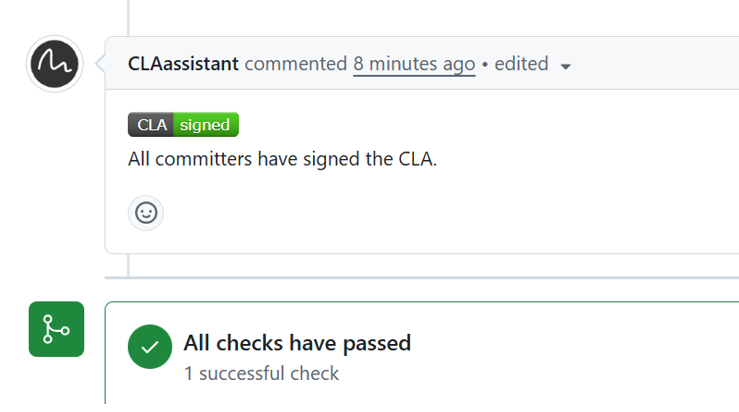
If the CLA status does not update within a few minutes, you can trigger a re-run of the check. Open this URL, with the number changed to the number of your pull request: https://cla-assistant.io/check/ESMValGroup/ESMValTool?pullRequest=4440 If your PR is in another repository in ESMValGroup (e.g. ESMValCore) you will also need to change the repository name in this URL.
How to withdraw your agreement#
If you later decide to withdraw your agreement to the CLA, you can do this via the CLA assistant dashboard. Click “View my signed CLAs”, find the row that lists ESMValGroup, and click the trashcan icon.
After you withdraw your agreement, you will not be able to contribute further changes. The withdrawal does not affect your previous changes that have already been merged.